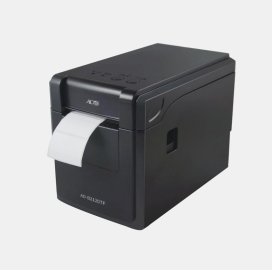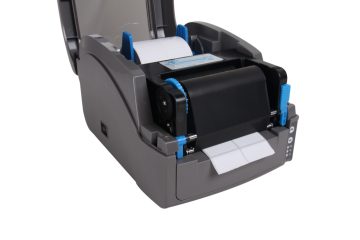
ACO AD-B2120TF Barcode Printer Specification

Packing List Printer 1PC Power Adapter 1PC USB Cable 1PC Power Cable 1PC User's Manual(Including Warranty card, Certification) 1PC Main Features Support thermal paper roll / Adhesive paper Simultaneously meets different needs in the range of media width 25~60mm, easy to operate Automatic paper calibrate function Label and bill printing 2 in 1 With U disk function, USB drive with driver and installation […]

How To Use The Label Printer?

First, install software, drivers 1. Insert the CD into the CD-ROM drive. If it does not start automatically, open the file on the CD-ROM and double-click "Setup.exe". Installation tips Step by step to install the P-touch software. 2. Follow the prompts to select the labeler driver model. When prompted, connect your label printer to the […]

Toner Common Problems and Solution

1. Problem: bottom ash Reasons: low humidity, high temperature; PCR (charge roller) defects; magnetic roller sheath and coating defects; PCR or corona electrical contact defects; OPC (photosensitive drum) defects; poor carbon powder, carbon powder mixed; Solution: Best RH=50-60%; replace defective parts; replace toner; check high voltage power supply. 2, the problem: ghost Reasons: cleaning blade, […]

Вэйчат
Вэйчат
Дээд рүү