هل الطابعة ليزر جيدة أم نافثة للحبر؟

مزايا طابعات الليزر: سرعة طباعة سريعة مع الحفاظ على طباعة نصوص عالية الجودة. مزايا الطابعات النافثة للحبر: مع ورق خاص يمكن طباعة أنماط دقيقة للغاية. لا تحتاج المبادئ المحددة للاثنين إلى التكرار، ولا معنى للمشتريات العادية. تقوم الشركة بشراء الطابعات وطابعات الليزر النافثة للحبر. المفتاح هو [...].

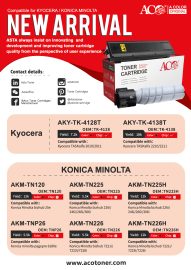
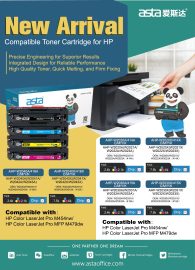
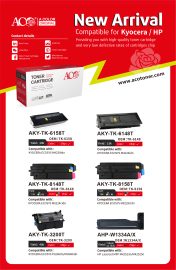
خرطوشة الحبر هي أهم أنواع طابعات الليزر وأكثرها استخدامًا

خرطوشة الحبر هي أهم أنواع طابعات الليزر وأكثرها استخداماً. عندما تكون خرطوشة الحبر قيد الاستخدام، فإن الحبر هو الحبر الأكثر سهولة في الفقدان، يليه أسطوانة ناقل ضوئي، ثم مكشطة وما شابه ذلك. بالنسبة لخرطوشة الحبر، إذا تم التخلص من خرطوشة الحبر بسبب استهلاك الحبر، فإن إعادة شراء [...]

لماذا لا يستدير عمود إعادة تدوير شريط طابعة الباركود؟

يتم تشغيل عمود استرداد شريط طابعة الرمز الشريطي بشكل عام بواسطة عمود، في حين أن عمود تزويد الشريط هو عمود مدفوع. ولأعمدة استرجاع الشريط في الوقت الحالي مصدران للطاقة: النوع الأول مقترن بأسطوانة الطباعة بواسطة حزام أو ترس، وأسطوانة الطباعة وعمود استرجاع الشريط [...].

لماذا يقفز الضوء الأحمر دائمًا عند طباعة طابعة الباركود؟

في هذه الحالة، هناك عدة أسباب لذلك: أولاً، حجم الملصق في برنامج الباركود لا يتطابق مع حجم الملصق الفعلي. ثانياً، تم تعيين طريقة الطباعة داخل ماكينة الرمز الشريطي بشكل غير صحيح. يجب ضبط استخدام الشريط على وضع النقل الحراري. عندما يكون الشريط [...].

طابعة الباركود ACO AD-3150TN مقدمة

1 、 مقدمة شكراً لاختيار طابعة الملصقات الجديدة AD-B3150TIN. يوفر هذا المنتج أداءً موثوقًا وجودة طباعة عالية بسعر اقتصادي. مع وظائف قوية وتصميم سهل التشغيل، فإن GP-3150TIN هو خيارك الأفضل لطابعة الملصقات الحرارية تنبيه، تنبيه: يجب الالتزام، وإلا تعرض الإنسان للأذى وتلف الأجهزة.

ACO GP-1235T Bar code Printer Specification

Main Features: 1, Built-in power supply 2, Maximum print speed: 5inch/s 3, Support different sizes of thermal paper roll / Adhesive paper 4, Simultaneously meets different needs in the range of media width 25~120mm, easy to operate 5, Automatic paper Detect function 6, Temperature adaptive control 7, Modular design to meet different needs Button Instructions […]

ASTA AD-B2120TU Barcode Printer Specification

Attentions: The printer should be installed in a flat, stable location; • Leave enough space around the printer for operation and maintenance; • Keep the printer away from water and direct sunlight, glare, and heat; • Do not use or store the printer in places with high temperatures, high humidity, and heavy pollution; • Avoid […]

ACO AD-B2120TF Barcode Printer Specification

Packing List Printer 1PC Power Adapter 1PC USB Cable 1PC Power Cable 1PC User's Manual(Including Warranty card, Certification) 1PC Main Features Support thermal paper roll / Adhesive paper Simultaneously meets different needs in the range of media width 25~60mm, easy to operate Automatic paper calibrate function Label and bill printing 2 in 1 With U disk function, USB drive with driver and installation […]

Inkjet Printer Maintenance Knowledge

Inkjet printers are much more expensive than laser printers. In addition to the maintenance of the machine during the maintenance process, the use environment must also be clean, mainly to ensure that the inkjet printer is in use, the nozzle does not cause plugging due to dust in the air. 1. Do not expose the […]

What if there is no copy of the image sometimes?

There are two reasons for the absence of copy images, one is that the connection of the charging or transfer electrode to the high voltage transformer is damaged, and the other is that the high voltage transformer itself is damaged. When checking, open the back cover of the machine and remove the electrode socket. After […]

What if there is no copy of the image sometimes?

There are two reasons for the absence of copy images, one is that the connection of the charging or transfer electrode to the high voltage transformer is damaged, and the other is that the high voltage transformer itself is damaged. When checking, open the back cover of the machine and remove the electrode socket. After […]

How To Deal With Thermal Printer Couldn't Print

First, the printer prints out fuzzy or missing words 1. Check the power supply to ensure that it is the power supply specified by the manufacturer. 2. Check if the paper size meets the printing requirements. 3. Check if there is any foreign matter such as dust on the thermal head and remove it. 4. […]

ويتشات
ويتشات
اذهب للأعلى